
The Dashboard is designed to give you a clear, focused view of your most important training activities. While the My Courses page displays every course in your account (often in alphabetical order), the Dashboard prioritizes what matters most right now, helping you quickly resume in-progress training, see required assignments, and discover relevant recommendations.
If your organization has enabled the Dashboard, it can be accessed from the left-hand navigation menu. Some organizations may also set it as your default landing page when you log in.
The Dashboard is organized into three main sections:
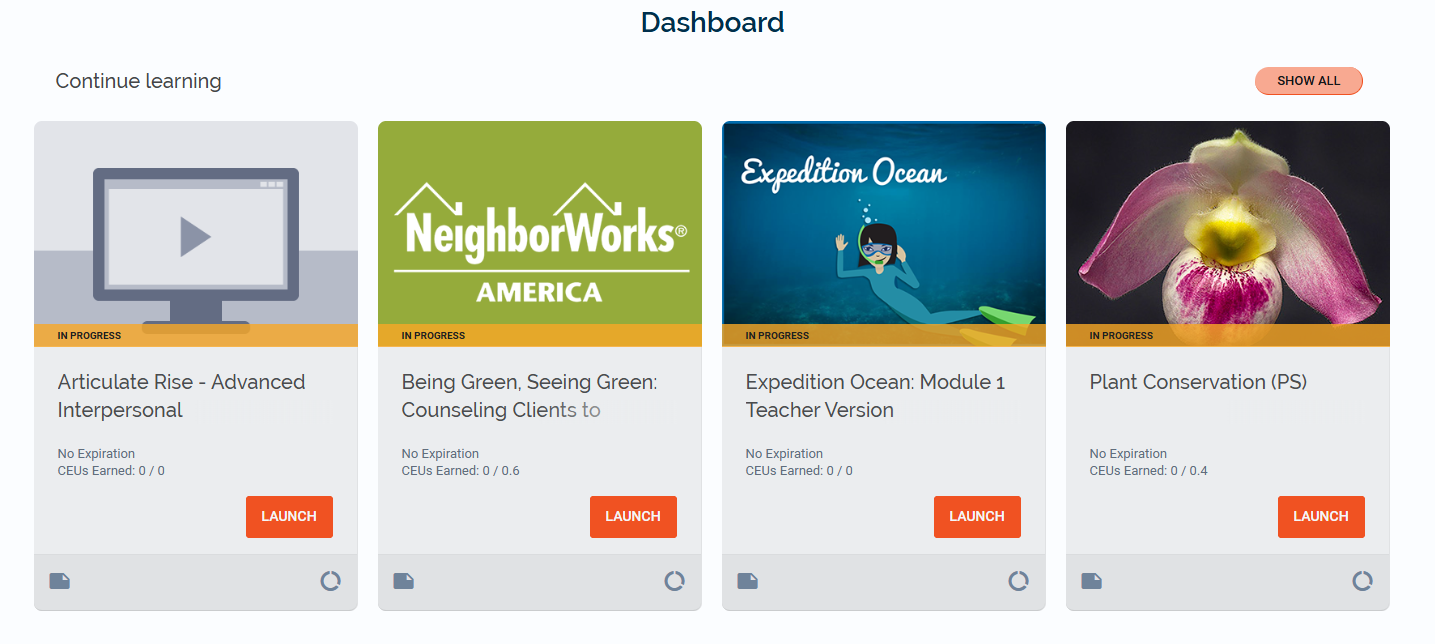
- Continue Learning
- Required Learning
- Recommended For You
Continue Learning
The Continue Learning section displays courses that are currently in progress. This allows you to:
- Quickly return to training you’ve already started
- Avoid searching through your full course list
- Pick up where you left off
Required Learning
The Required Learning section displays courses that your organization has assigned as mandatory. These courses may be assigned based on:
- Your department
- Your job role
- Compliance requirements
- Your Reporting Group
If a course appears in this section, it has been designated as required by your organization and should be completed within the expected timeframe.
Recommended Learning
The Recommended Learning section displays courses your organization or the system believes may be valuable based on:
- Your Reporting Group
- Your role or training focus
- Courses commonly completed by your peers
- Your previous learning activity
Recommended courses are optional unless otherwise communicated by your organization.
Note: If you are looking for instructions on how to configure, assign, or manage Dashboard settings as an administrator, please refer to the Dashboard for Administrators article.